
Two weeks ago I shipped script-warden, a tool that records every script launch on a Windows machine. Most of the responses boiled down to: “wait, how many things are running on my laptop?”
I wanted an actual answer. Not “probably some Intune stuff” but a real breakdown: who launched each script and what it does.
So I built an analysis engine into script-warden and pointed it at two weeks of captures on my corporate machine.
Classifying the noise
The new analyze command groups every captured script along two axes:
- Source — who launched it. Management agents (Intune/MDM, ConfigMgr), scheduled tasks, Group Policy, EDR/AV, dev tools, Windows servicing.
- Behavior — what it does. Install/uninstall, update, inventory, config change, persistence, network/download, remote execution, credential access, obfuscation.
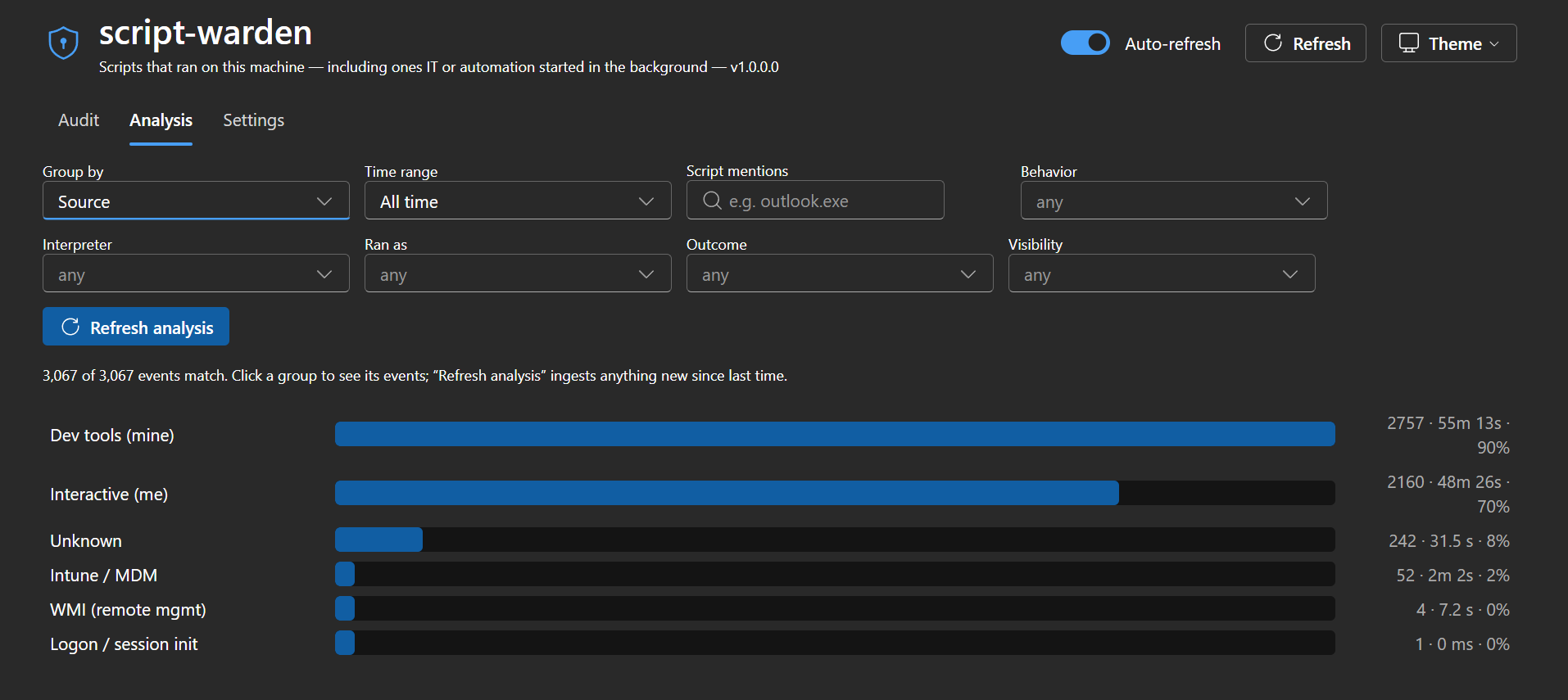
On my machine, the biggest script launchers weren’t things I run. They were management agents and scheduled tasks I never configured. Background inventory sweeps. Compliance checks. Telemetry collectors. All silent.
None of it is malicious. But “not malicious” and “I knew about this” are not the same thing.
What are they actually doing?
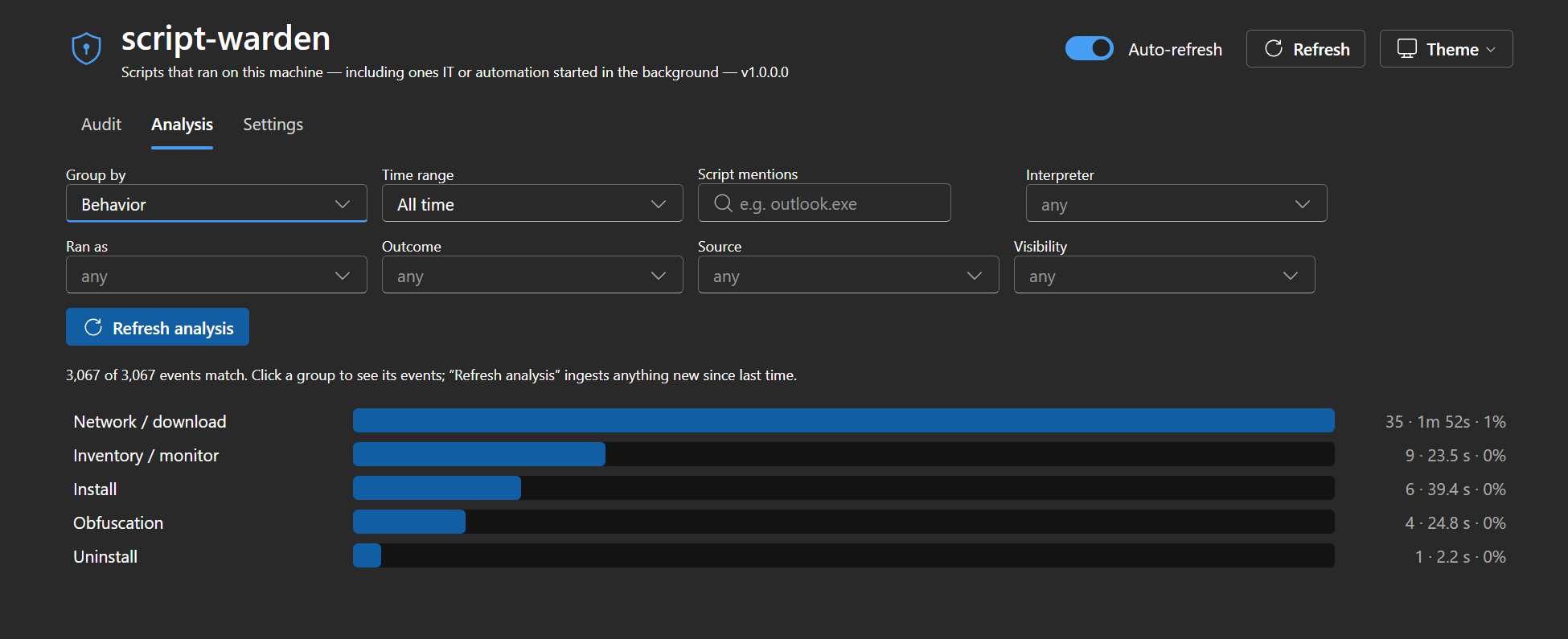
The behavior breakdown is where it got interesting. The single biggest category was inventory: scripts that scan your hardware, installed software, and registry state, then report it somewhere. Others silently adjust settings. A few do network/download operations you’d never notice.
Probably fine. But “probably fine” looks different when you can see the actual script.
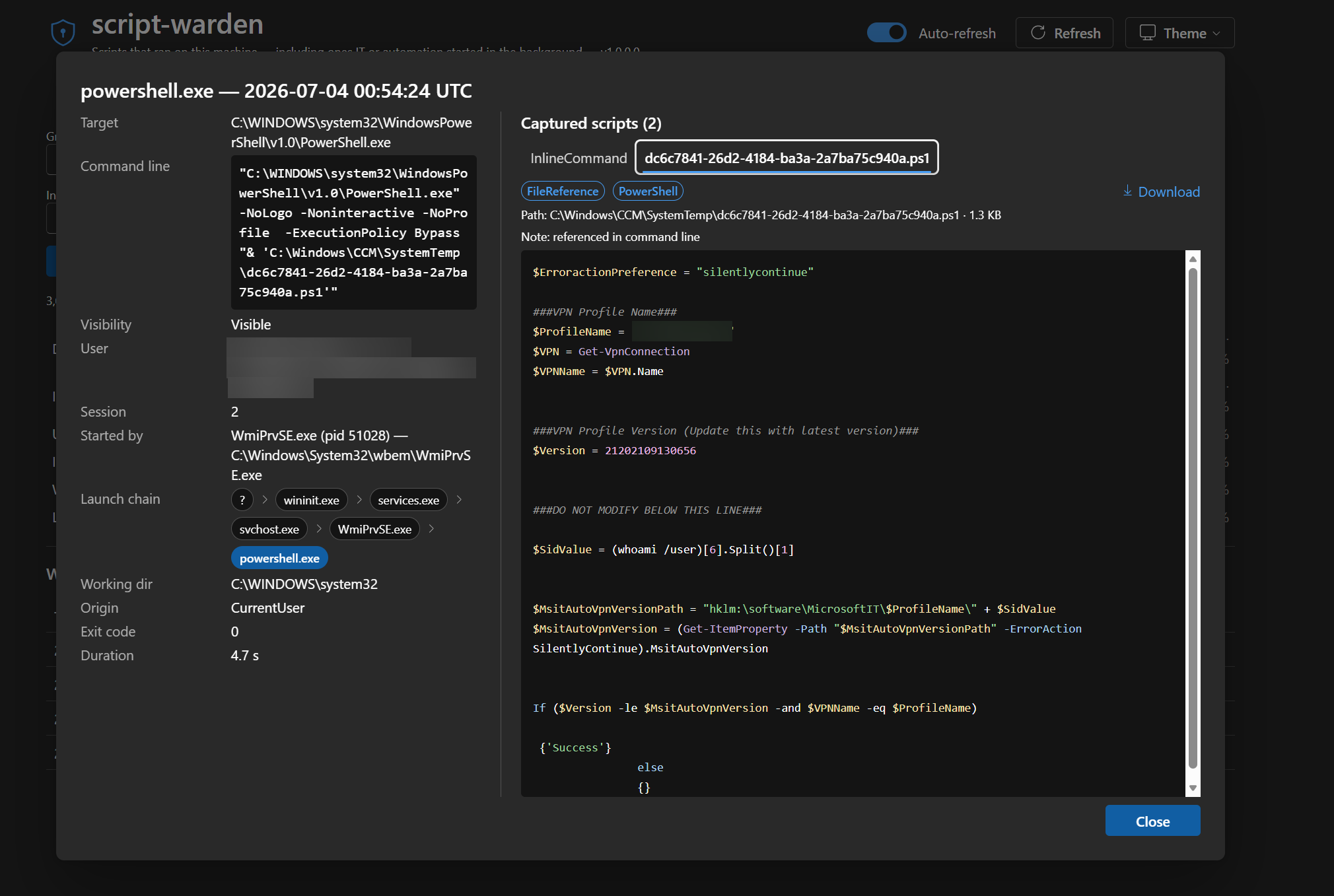
This one is a PowerShell script launched by ConfigMgr through WMI to check whether my VPN profile version matches what IT expects. I didn’t run it. I didn’t know it existed. It ran for 4.7 seconds and exited silently. script-warden caught it, decoded it, and showed me the full parent chain: wininit.exe all the way down to powershell.exe.
Transparency is not a security risk
If a script is safe to run on my machine, it’s safe for me to read. Enterprise tooling running hidden with no user-accessible audit trail is a UX choice, not a security requirement.
Your laptop slow at 2pm every Tuesday? Now you can find out why. That PowerShell window that flashes for a split second? You can read what it did. The base64-encoded command that ran at 3am? Decoded and saved.
Composable filters
The analysis view is a drill-down tool. Stack filters (taxonomy include/exclude, time range, full-text content search), see the live match count, then click through to matching events. Search for a URL, a registry key, or an executable name across every script that ever ran on your machine.
Taxonomies are JSON files. Edit them, drop in your own categories. script-warden auto-updates the built-ins but never touches your custom ones.
What’s next
The captures are structured data with full script content. That means you can point a model at them. I’m working on an AI analysis mode that reasons over your capture history to surface patterns, flag anomalies, and answer questions like “what ran differently this week vs. last week?” or “show me everything that touches the network after midnight.” The data is already there. It just needs a brain on top.
Try it
script-warden install       # start monitoring (one-time admin prompt)
# ... let it collect for a day or two ...
script-warden analyze       # build the analysis database
script-warden serve         # browse everything in the web viewer
The Analysis tab in the viewer uses the same engine. Click any category to filter the full audit log to matching entries.
github.com/asklar/script-warden — MIT licensed, single exe, no runtime.
Point it at your machine. You should know what’s running on it.
What would you find on yours? Run script-warden install and find out. If you do, I’d love to hear what surprises you — find me on LinkedIn or open an issue.