
I use Cloudflare Workers and Pages for a bunch of side projects. Deploying is fast, but then I’m refreshing the dashboard wondering “did it finish? did it fail?”
So I had Copilot build me a fix: a Windows system tray app that monitors all my deployments and pops toast notifications when they complete or fail.
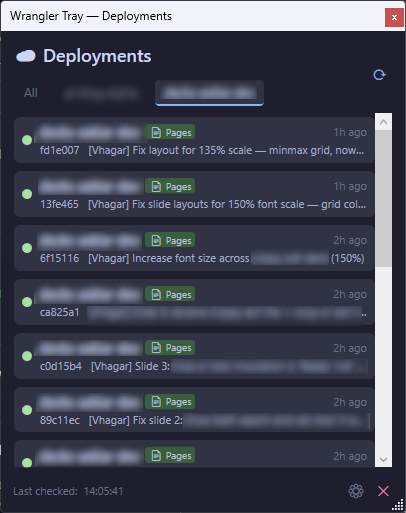
What It Does
Wrangler Tray sits in your system tray and polls the Cloudflare API for deployment status across all your accounts — both Workers and Pages.
- Left-click the tray icon to see recent deployments
- Toast notifications on success, failure, or new deployments
- Two auth options:
wrangler login(browser OAuth) or paste an API token - Auto-detects wrangler, offers to install it if missing
- Configurable polling interval and startup-with-Windows
- Pin window to stay on top (no light dismiss)
Built with .NET 10 and WPF. The whole thing is MVVM with CommunityToolkit.Mvvm, clean service layer, and proper Windows notification integration.
The Copilot Part
This was a zero-to-shipped Copilot project. I described what I wanted, iterated a bit, and had a working app in 20 minutes — including the system tray icon. The kind of thing that used to be a weekend project — done in 20 minutes. Copilot even generated the system tray icon.
Check it out 👇
🔗 github.com/asklar/wrangler-tray
MIT licensed. PRs welcome.